How should a cartoon explainer video be planned?
Choose one audience problem and one clear takeaway. A short script and storyboard establish how the character explains or demonstrates the solution. Test the animatic for clarity before building finished shots, and plan captions, voiceover versions and aspect ratios as deliverables.
Continue with Storyboard vs Animatic: When to Use Each and 3D Animation for Onboarding & Training.
Cartoon explainer videos help brands turn complex ideas into short, memorable stories. Instead of asking viewers to read a dense product page or decode a technical pitch, the video gives them a character, a problem, a simple journey, and a clear next step.
For Mimic Cartoon, the strongest explainer work sits between character design, 3D cartoon character creation, animation, motion capture, and brand storytelling. The goal is not only to make something cute. The goal is to help an audience understand, remember, and trust the idea faster.
This guide explains how cartoon explainer videos work, when to choose 2D or 3D, how a production pipeline should be planned, which mistakes slow projects down, and how brands can measure whether the video is doing useful work.
Table of Contents
What cartoon explainer videos do for brands
A cartoon explainer video is a focused animated story that introduces a service, product, process, platform, campaign, or brand idea. It usually works best when the audience needs clarity quickly and the message has too many moving parts for one static visual.
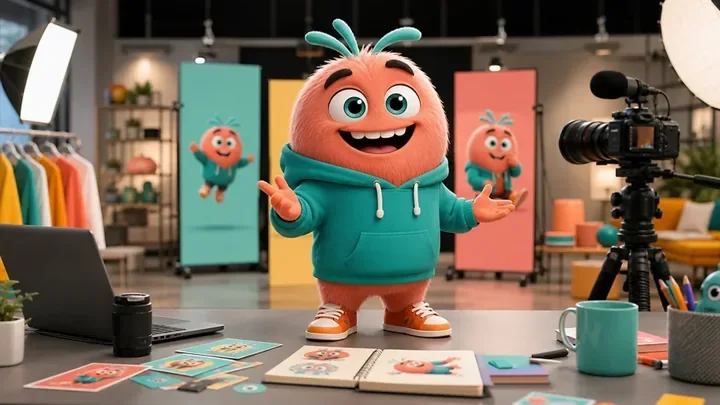
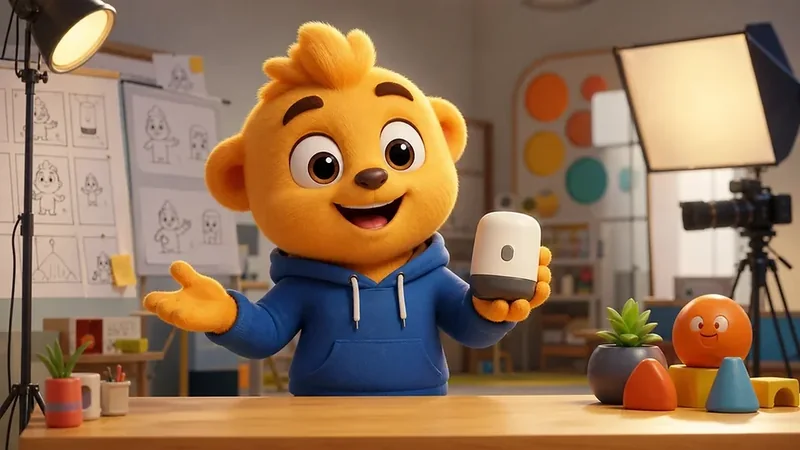
The character can act as a guide. It can ask the question the viewer is already thinking, demonstrate the product in a friendly way, show a before-and-after moment, or simplify an abstract promise. That is why cartoon mascot design often pairs naturally with explainer content.
Awareness: introduce the brand with a memorable character and simple emotional hook.
Education: explain a process, feature, service model, or customer problem in plain language.
Conversion: answer the most common objections before the viewer speaks to sales.
Retention: turn updates, tutorials, and onboarding into repeatable character-led content.
2D, 3D, and AI-assisted explainer formats
The right format depends on how the video will be used. A fast 2D explainer can be excellent for lightweight campaigns, while a 3D character-led video gives the brand more depth, reuse, cinematic lighting, and movement across future assets.
A useful comparison is not simply 2D vs 3D animation. The real question is what the character needs to do after the first video. If the same mascot may later appear in games, websites, product demos, interactive experiences, or AI cartoon characters, a 3D production plan often gives the asset a longer life.
2D explainer: efficient for graphic clarity, simple sequences, and fast social campaigns.
3D explainer: stronger for brand mascots, product spaces, camera moves, reusable poses, and cinematic identity.
Hybrid explainer: useful when 2D graphics, 3D characters, and motion design need to work together.
AI-assisted explainer: useful for ideation, localization, variant planning, or interactive follow-up when guardrails are clear.
Why 3D characters improve brand storytelling
3D cartoon characters improve explainers because they make the message feel performed rather than described. A character can point, react, pause, celebrate, struggle, learn, and change expression. Those small acting choices help the audience follow the story emotionally.
This matters for services that are visual, technical, or new to the market. The character gives the viewer a friendly way into the topic, while the scene design, motion, and timing make the idea easier to remember. The difference between CGI vs animation becomes less important than the result: the viewer understands the promise.
Recall: viewers remember a recurring character faster than a generic stock visual.
Clarity: the character can demonstrate the problem, the solution, and the outcome in one sequence.
Trust: a consistent character voice makes the brand feel less abstract and more approachable.
Reuse: the same 3D asset can support stills, short clips, landing pages, demos, and future campaigns.
The cartoon explainer video production workflow
A polished explainer starts with message strategy, not software. The team should define the audience, the core problem, the viewer's current confusion, the one idea they need to remember, and the action the brand wants after the video.
From there, the production flow resembles how animated movies are made, just in a tighter commercial format. The script creates the argument. The storyboard creates the viewing rhythm. The character model and cartoon character rigging prepare the performer. Animation, lighting, sound, and editing turn the sequence into a finished communication asset.
Discovery: clarify the audience, offer, tone, use case, channels, and call to action.
Script and storyboard: shape the message into short scenes with a clear beginning, middle, and end.
Character and scene build: design or adapt the mascot, props, environment, lighting, and visual style.
Animation and performance: pose the character, refine timing, add expressions, and polish camera movement.
Delivery and variants: export website, social, presentation, and paid-media versions with consistent brand usage.
Music-led projects need a different timing plan. Compare the 3D music video animation workflow when the edit and character performance must follow an approved track.
Use cases across the customer journey
Cartoon explainer videos can support the full customer journey when each version has a specific job. One broad video rarely solves every problem. A better system uses the same character across focused touchpoints.
Discovery: use a short character-led hook to make the brand easier to remember.
Consideration: show how the offer works, who it helps, and why it is different.
Purchase support: answer objections, compare paths, and reduce uncertainty before a demo or signup.
Onboarding: turn setup, training, or first-use steps into a guided animated walkthrough.
Retention: reuse the mascot for updates, tutorials, seasonal campaigns, and community content.
This is where a connection to the wider Mimic Productions ecosystem can help. A character that starts as an explainer host can later become a live-event asset, virtual presenter, game-style guide, or interactive experience if the production plan leaves room for reuse.
Brief checklist before production starts
A good explainer brief saves time because animation teams can make confident decisions earlier. The most expensive revisions usually happen when the story, audience, visual style, or final channel changes after production has already begun.
The brief should also separate the message from the medium. A homepage video may need a broad emotional hook, while a sales deck version may need a sharper explanation of outcomes, costs, and implementation. A paid social cut may need the character to communicate without sound in the first seconds. Planning those variants early helps the studio compose scenes that can be trimmed, reframed, or reused without losing the story.
Audience: who the video is for, what they already know, and what they need to believe next.
Offer: the product, service, process, or idea that must be explained in one clear sentence.
Character role: mascot, presenter, customer, expert, comic helper, or visual guide.
Brand rules: tone, colors, logo use, forbidden claims, accessibility needs, and approval process.
Production assets: scripts, references, product images, 3D files, voice direction, and channel specs.
Reuse plan: whether the character needs future poses, motion capture in animation, social clips, or interactive avatar use.
Mistakes and KPIs to watch
The biggest mistake is treating an explainer video as decoration instead of a decision-support tool. If the message is vague, even beautiful animation will feel like noise. If the character has no purpose, the viewer may enjoy the style but miss the point.
Starting with visual style before the core message is clear.
Trying to explain every feature instead of one memorable value path.
Choosing a character design that looks good in one pose but cannot act across a full video.
Skipping storyboard review and discovering pacing problems after animation begins.
Measuring only views instead of completion, clicks, qualified leads, recall, and reuse.
Useful KPIs include video completion rate, click-through rate, landing page engagement, sales-team usage, demo requests, support-ticket reduction, onboarding completion, social saves, watch time, and how often the animated asset can be repurposed without rebuilding from scratch.
Future trends in cartoon explainer videos
Cartoon explainers are moving toward reusable character systems. Instead of commissioning one isolated animation, brands increasingly want the same mascot to appear in website content, vertical clips, product walkthroughs, live presentations, game-style demos, and AI-powered interactions.
Real-time rendering, better facial animation, smarter localization, and conversational characters will make this easier. Still, the fundamentals will stay the same: a clear story, a readable character, a useful audience promise, and animation choices that support comprehension rather than showing off.
The most prepared brands will treat the explainer as the first chapter of a character library. That library can include poses, expressions, idle loops, social reactions, product demonstrations, and seasonal campaign moments. When those assets are planned together, each new video becomes faster to produce and the character becomes more familiar to the audience.
More reusable 3D mascot libraries for recurring campaigns.
Shorter explainer variants designed for search, social, and landing pages.
Interactive characters that continue the story after the video ends.
Closer planning between brand strategy, animation production, and AI safety rules.
FAQ
What is a cartoon explainer video?
A cartoon explainer video is a short animated story that uses characters, scenes, voice, and motion to make a product, service, process, or brand idea easier to understand.
Are cartoon explainer videos good for B2B brands?
Yes. They can simplify technical products, service workflows, platform benefits, onboarding steps, and sales messages without making the brand feel cold or abstract.
Should an explainer video be 2D or 3D?
Choose 2D for lightweight graphic clarity and choose 3D when the character, product, camera movement, reusable assets, or cinematic brand identity matter more.
Can a brand mascot appear in multiple explainer videos?
Yes. A well-designed mascot can become a repeatable host across product explainers, tutorials, website videos, social clips, presentations, and interactive experiences.
How long should a cartoon explainer video be?
Many commercial explainers work best between 45 and 120 seconds, but the right length depends on the message, channel, audience familiarity, and call to action.
What does a studio need before production starts?
A studio needs the audience, objective, offer, script direction, brand rules, character references, delivery formats, approval process, and any existing product or 3D assets.
Can motion capture be used in cartoon explainers?
Yes. Motion capture can help when the character needs natural body movement, dance, gestures, or physical performance, though keyframe animation may be better for highly stylized timing.
How do you measure explainer video success?
Track completion rate, engagement, click-through rate, demo requests, sales usage, onboarding completion, support reduction, audience recall, and how often the asset can be reused.
Can an explainer character become an AI avatar later?
Yes, if the character is planned with personality rules, rigging, voice, safety boundaries, platform requirements, and enough animation range for interaction.
Conclusion
Cartoon explainer videos work because they make information feel like a story. A clear character, a focused message, and a polished animation pipeline can turn a difficult idea into something viewers understand quickly and remember after they leave the page.
For 3D character-led explainers, animated brand storytelling, mascot design, rigging-aware production, and reusable cartoon video systems, explore Mimic Cartoon and plan the explainer around the audience, the message, and the character's long-term role.