DIRECT ANSWER
What are smear frames in animation?
Smear frames are deliberately distorted transition drawings or poses that communicate fast movement between clearer poses. An animator might stretch a shape along its path, repeat a hand within one frame or simplify a moving body into a directional streak. The frame can look strange when paused but read as a quick, connected action when played at the intended speed. A smear is designed motion, not simply a blurry image.
A character turns sharply, a hand whips through the air or a runner shoots out of a held pose. Drawing every intermediate position literally can make the action feel evenly spaced and slow. A smear lets an animator suggest the journey without asking the viewer to read each position as a separate pose.
The useful question is not “does this frozen drawing look anatomically correct?” It is “does the action read clearly in the shot?” This guide explains the main approaches, their relationship to motion blur and a practical way to evaluate them in 2D and 3D character animation.
How a smear connects two readable poses
Start with the poses before and after the fast action. They tell us what the character is doing. The smear links them by describing direction and speed, usually with less internal detail than either pose. A stretched arm can connect the beginning and end of a swing; several hand shapes can suggest the arc of a rapid gesture.
The strongest contrast often comes from a readable preparation, a brief transition and a readable arrival. That does not mean every action needs a long hold or every smear lasts exactly one frame. Duration depends on playback rate, spacing, camera distance and the effect you want. Test the shot at its delivery speed before deciding whether the distortion should be shorter, longer or removed.
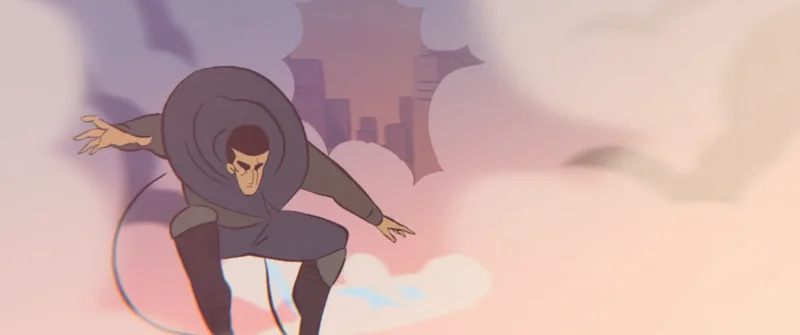
Think of a fast head turn. The beginning pose establishes what the character is looking at. The end pose establishes the new focus. A transitional stretch can connect those directions, but the eyes must settle clearly enough for the audience to understand the reaction. If the viewer misses the new expression, a technically elaborate smear has not helped the performance.
Three useful types of smear frames
Elongated shapes
The moving form stretches along its trajectory. This can be a long hand, a swept cheek or a simplified body shape. Follow the action’s arc rather than extending everything horizontally. Preserve enough of the character’s colour and outline for the viewer to connect the transition with the surrounding poses.
Multiple shapes
Two or more versions of a moving feature appear within one image. Repeated hands, feet or facial features can describe a very quick action. These are not necessarily separate animation exposures: the repetition can be designed into a single drawing or render. Too many equally strong copies may read as extra limbs, so hierarchy and duration matter.
Graphic streaks and simplified transitions
Detail gives way to a directional shape, accompanied where useful by drawn motion lines or effects. A streak can describe speed, but a background speed line is not automatically a character smear. The distinction is whether the character’s changing form, a separate effect or both are carrying the movement.
These labels are practical descriptions, not a fixed classification every studio uses. The SMEAR research add-on for Blender specifically supports elongated in-betweens, multiple in-betweens and motion lines in 3D. It is one implementation of the idea, not a required tool.
Smear frames, motion blur and squash-and-stretch
A smear frame changes the design of the transition. The animator chooses a stretched silhouette, repeated shapes or another graphic solution. It can remain crisp and sharply outlined.
Motion blur represents movement over an exposure interval. In rendering, it can soften or spread the appearance of moving objects according to the renderer’s settings. It may accompany a smear, but enabling blur does not make the same artistic decisions.
Squash-and-stretch changes proportions to communicate weight, flexibility or force. It can occur in clearly readable poses, such as a compressed landing. A smear focuses on a fast transition. The techniques can work together without being interchangeable.
Adobe’s animation-principles guide provides the broader timing and squash-and-stretch context. For production, compare the shot with blur off and on: excessive blur can hide a carefully designed transition or make a face harder to read.
Can you use smear frames in 3D animation?
Yes. A 3D character can use stretched rig controls, corrective shapes, temporarily duplicated geometry or additional drawn effects. The right method depends on the rig, renderer and camera. A deformation that looks excellent from the approved camera may look unusual from another angle; that is a reason to evaluate the intended shot, not automatically reject the pose.
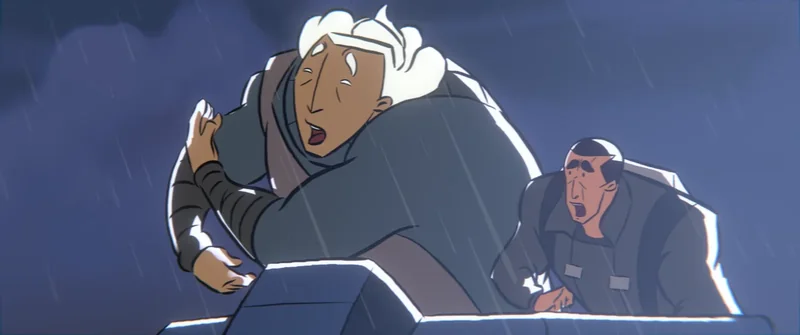
Discuss deformation needs during character rigging. Does the face need to stretch? Can the arm extend beyond its ordinary range? How will clothing, hair and contact with props respond? A rig designed only for restrained movement may need additional controls or shot-specific corrections.
Lighting and shadows also deserve a check. A stretched mesh can produce a distracting shadow, and repeated geometry may cause unwanted intersections. Treat the effect as part of the complete shot, not an isolated viewport trick. For interactive characters, also consider changing viewpoints and performance constraints; a camera-specific solution may not survive every game-camera angle.
A practical workflow for reviewing fast action
- Establish the intention. Decide whether the gesture should feel playful, panicked, forceful or precise. Speed alone is not a personality.
- Make the key poses readable. Check silhouette, eye direction and contact with the environment before adding a transition effect.
- Block the timing. Play the action without a smear. Identify where the movement feels disconnected or lacks the intended snap.
- Test one intervention. Try a stretched shape or a small number of multiples along the motion path. Change one variable at a time.
- Compare at normal speed. Slow playback explains construction, but the delivery-speed version determines whether the effect works.
- Check the final context. Review camera movement, effects, blur, edit timing and the smaller screen size where the audience will watch.
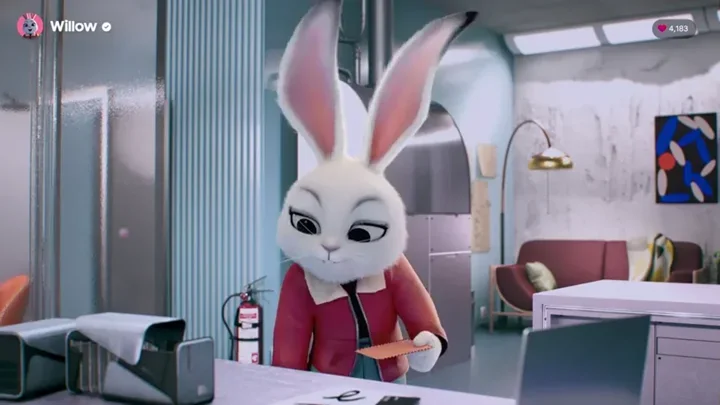
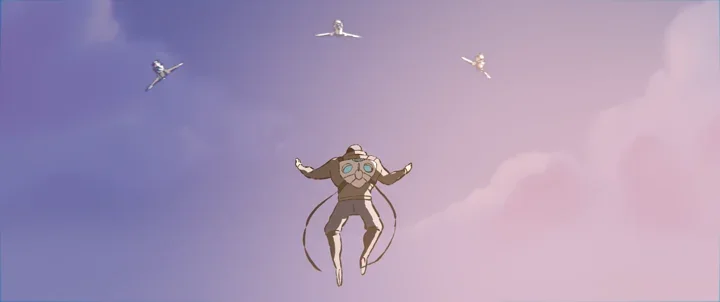
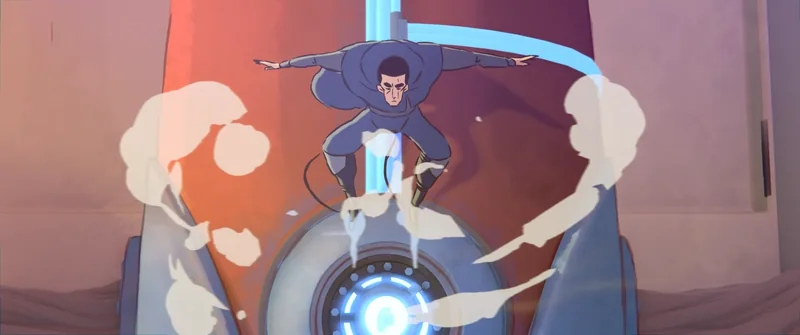
For a visual study, watch Blender Foundation’s Hero, then revisit a short action at a slower speed. Separate the held poses, camera movement, drawn effects and transitional drawings rather than calling every stretched or obscured frame a smear. The stills in this guide are visual references from that film, not Mimic Cartoon production footage.
When a smear helps—and when to leave it out
Smears can suit quick turns, broad gestures, comic takes and stylised action. They are less useful when a viewer needs to inspect a product, read a small expression or understand an exact hand contact. A restrained performance can use a brief accent, but applying extreme distortion throughout may undermine the intended tone.
A common mistake is keeping the distorted pose visible too long. Another is adding detail to every stretched feature, creating visual noise instead of a clear direction. If the action becomes harder to follow, return to timing, staging and the key poses before adding more effects.
Do not assume that a strange paused frame is a mistake or evidence of AI generation. Inspect the sequence. Conversely, “it is a smear” is not an excuse for a transition that remains confusing in motion. The audience’s ability to understand the performance is the useful test.
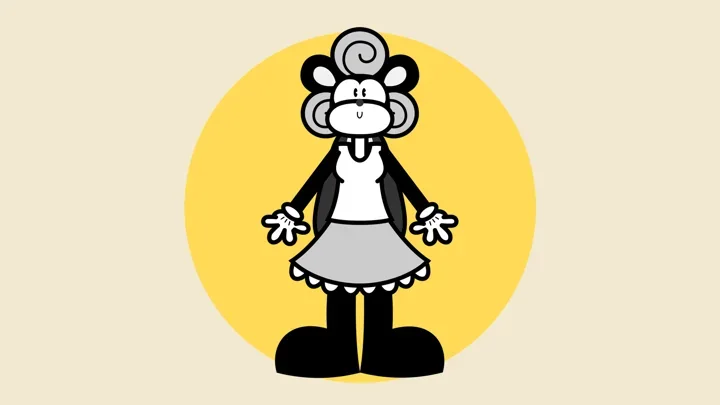
For a broader visual direction, explore rubber hose animation and hybrid 2D and 3D animation. Smearing is a movement technique that can appear in several styles, not a requirement of any one of them.
Frequently asked questions
Are smear frames animation errors?
No. A smear can be an intentional transition that reads clearly at playback speed. Judge the action in context rather than by an isolated paused frame.
How many frames should a smear last?
There is no universal number. Many smears are very brief, but the useful duration depends on frame rate, spacing, style and the action. Compare alternatives at the final playback speed.
Are smear frames the same as motion blur?
No. A smear is a designed change in shape or repetition of features. Motion blur represents movement over an exposure interval. They can be combined, but one does not replace the other.
Can 3D characters use smear frames?
Yes. Animators can use deformation controls, corrective shapes, duplicated geometry or drawn effects. The result needs checking with the shot’s camera, lighting and rendering settings.
Do smear frames reduce animation quality?
Not inherently. A well-chosen smear can make a fast action clearer or more expressive. An unsuitable or overlong smear can distract, so its value depends on the performance and intended style.
Should a brand character use exaggerated smears?
Only where they support the character’s tone and the message. Keep product information and important expressions readable, and agree the level of exaggeration through a short movement test.
Conclusion: make the movement readable
A successful smear connects meaningful poses. Its value comes from timing, direction and contrast, not from how distorted a single frame can become. Establish the performance first, then use the simplest transition that gives it the intended energy.
Planning expressive character animation? Explore our 3D character animation services, or share your project with Mimic Cartoon. Include a visual reference, the action you need and where the animation will appear.
Image credits and licences
Hero film stills: Blender Foundation; directed by Daniel Martínez Lara. Source: Hero film and licence record, CC BY 4.0. Selected frames were extracted, resized and converted to WebP; the social card adds Mimic Cartoon branding. No endorsement or production involvement is implied.