What is hybrid animation?
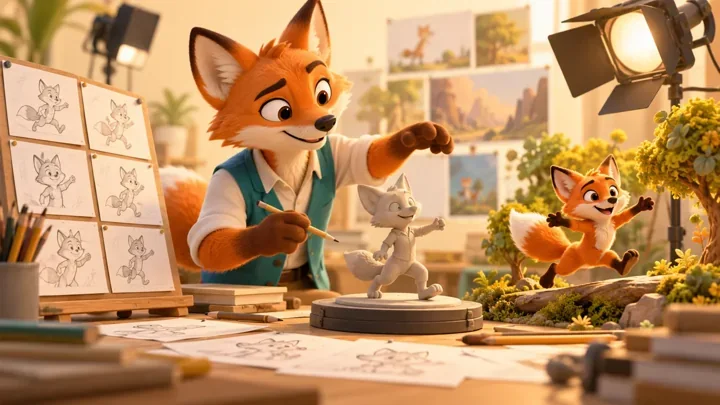
Hybrid animation combines different animation techniques in one production. In 2D/3D hybrid animation, artists combine drawn or graphic elements with three-dimensional assets, scenes or workflows. Examples include hand-drawn effects over a 3D character, illustrated characters staged in a 3D environment, and drawings positioned within a three-dimensional scene. The combination is chosen to serve the image and performance, not to satisfy a fixed ratio of 2D to 3D.
A character can feel hand-drawn while moving through a dimensional world. A modeled face can use graphic lines and deliberately exaggerated expressions. Neither result happens simply by adding a filter at the end. The production needs a shared approach to shape, camera, timing and composition.
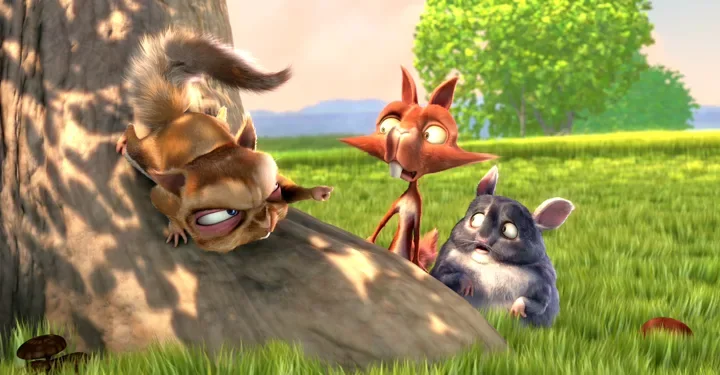
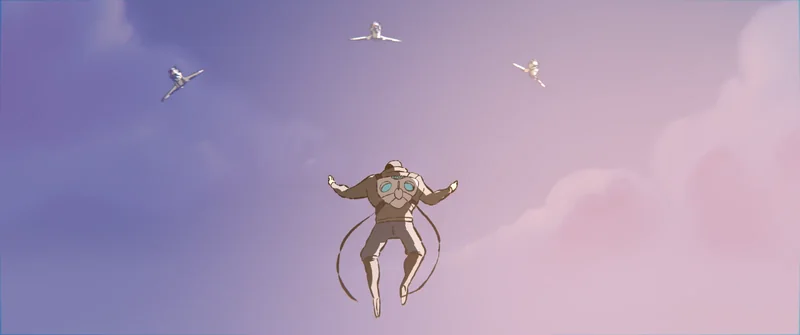
This guide explains the main techniques, what to look for in real productions, and how to decide whether a hybrid approach suits a film, music video or brand campaign. The illustrations come from Blender Studio’s Hero, a Grease Pencil showcase directed by Daniel Martínez Lara. They are educational references, not Mimic Cartoon project credits.
Three ways to combine 2D and 3D animation
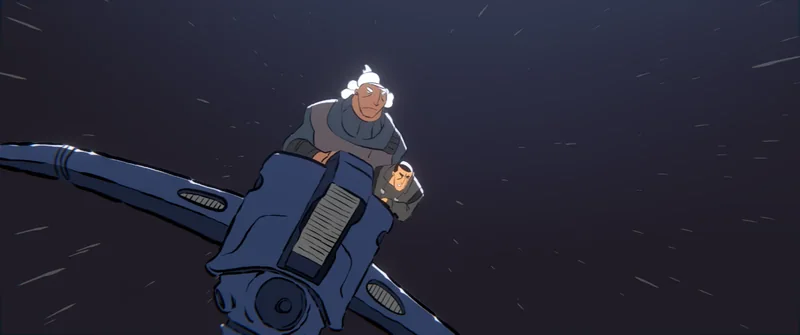
Drawn characters in dimensional environments. A production can place illustrated characters against a scene built with 3D geometry. The set provides perspective and camera movement; the character animation retains drawn shapes and line work. The challenge is maintaining contact and a believable relationship between the character, floor and camera. Turning the camera may reveal a view that needs a new drawing rather than a simple rotation.
2D elements over 3D animation. Artists can add drawn smoke, sparks, impact shapes, facial marks or speed lines to rendered characters and environments. These additions can clarify a gesture or replace a physically realistic effect with a more expressive shape. Compositing brings the layers together, but their timing and placement should be planned before final renders.
Drawing inside a 3D scene. Some workflows allow strokes to exist in three-dimensional space. Blender’s Grease Pencil, for example, supports drawing in a 3D environment. This gives artists options for positioning drawings, combining them with objects and working with a camera. It does not remove the need to decide how the artwork should behave from different viewpoints.
These methods can overlap within a film. A production might use modeled backgrounds, drawn characters and additional 2D effects, while reserving a different treatment for an imagined sequence. For the fundamentals of the two approaches, read our 2D versus 3D animation comparison.
Hybrid animation, 2.5D and stylized 3D are not identical
Animation labels describe different things. “2D” and “3D” often refer to how assets and scenes are constructed. “Painterly,” “comic-book” and “graphic” describe an appearance. “Hybrid” describes a combination of methods. Confusing these categories makes a brief harder to estimate because two similar-looking images can require very different production work.
A 3D model with flat shading and an outline may be entirely three-dimensional. Its illustrated appearance alone does not prove that hand-drawn animation was involved. Equally, a drawn character can move within a 3D scene without becoming a volumetric model. Ask which parts are drawn, modeled, rendered and composited rather than relying on a style label.
“2.5D” is also used in several ways. It can describe flat layers placed at different depths, limited-dimensional character setups, or a deliberately illustrated result made with 3D tools. Define the intended camera movement and visible depth in the brief. Our guide to cartoon styles is a useful starting point for describing the visual result before choosing the production method.
What real productions demonstrate
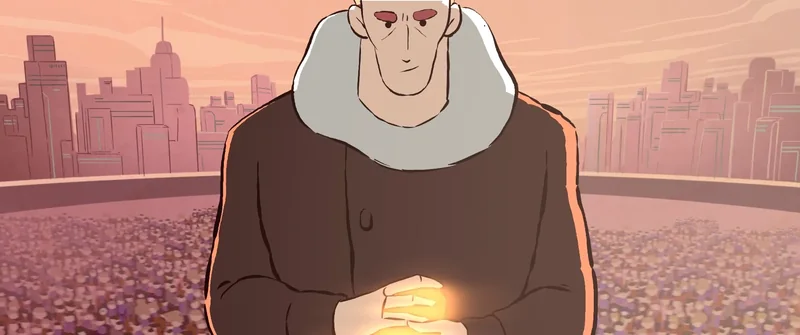
Hero: drawn performance in a spatial workflow. Blender Studio presents Hero as a showcase for Grease Pencil. Its finished images retain a strong drawn character. Look at the silhouettes, color shapes and staging rather than assuming that using a 3D application makes every visible element a conventional 3D model. The lesson is to choose tools around the intended image.
Spider-Man: Into the Spider-Verse: deliberate integration. Sony Pictures Imageworks describes combining rigged facial line work, hand-drawn effects and stylized rendering. Its official production breakdown also discusses stepped timing and the work needed to reconcile it with camera movement. This is evidence of a coordinated production approach, not a single “Spider-Verse filter.”
KPop Demon Hunters: graphic expression within a 3D pipeline. Sony’s account of the film’s production explains a facial system using interchangeable features to achieve exaggerated expressions. It shows how 2D expressive ideas can influence 3D performance without making every shot a literal stack of drawn and rendered layers.
These productions have different methods, budgets and creative goals. They are useful references for specific decisions, not templates that a small commission can reproduce automatically. A better reference note says “we like the restrained shading and expressive pose changes” rather than asking a team to copy another film’s entire identity.
Plan the combination around one simple scene
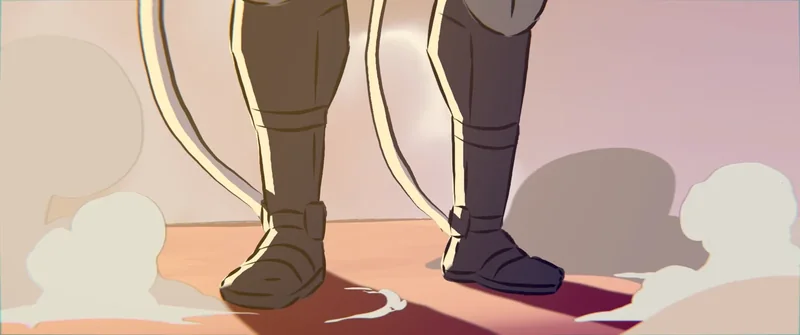
Imagine an original courier character jumping from a rooftop to catch a floating parcel. This is a hypothetical production example, not a description of how Hero was made. Start with the action and emotional beat: the courier is confident, misjudges the jump, then recovers. Decide what the audience must read before selecting the techniques.
A 3D rooftop can establish perspective and support a moving camera. A drawn character can exaggerate the stretch into the jump. A graphic impact shape can make the landing readable. The combination works only if the character’s feet meet the roof at the correct moment and the parcel’s motion agrees with the camera. Those contact frames deserve early attention.
The same brief might be better served by a 3D character with a graphic material and a few drawn accents. If the camera rotates around the courier, reusable volumetric geometry may simplify some views. If the shot stays almost frontal and relies on unusual drawing changes, a drawn performance may be more direct. Neither method is inherently the premium option.
Test the scene in motion. An attractive style frame cannot reveal sliding feet, changing line thickness, unstable texture or effects that arrive a frame late. Agree a representative test shot before building a whole sequence. This is where storyboards and animatics help: they resolve the action, framing and timing while changes remain manageable.
A practical hybrid animation workflow
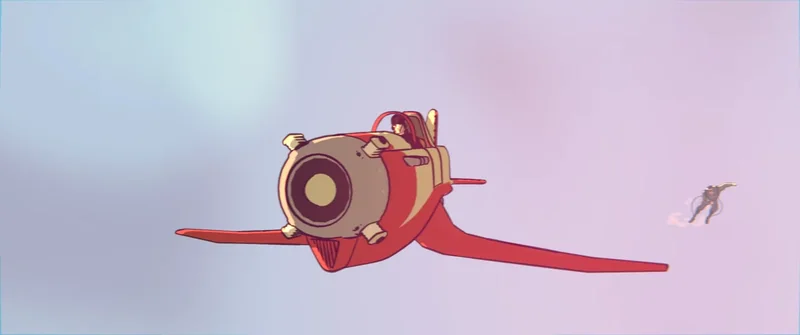
1. Define visual rules. Choose the line treatment, shading, texture, color range and degree of exaggeration. Identify what should remain consistent across shots. A close-up and a wide shot may need different line weights, but they should still belong to the same visual world.
2. Assign the work by element. Mark each character, background, prop and effect as drawn, modeled or combined. List the important interactions. A drawn hand holding a modeled object requires a clear plan for overlap, perspective and contact; “we will fix it in compositing” is not a sufficient handoff instruction.
3. Approve the edit and camera. Use a timed animatic to establish shot lengths, transitions and performance beats. Camera changes after detailed drawing can mean substantial rework. Define where the camera may still change and where an approved layout becomes the production reference.
4. Build and animate for the chosen look. Models, drawings and controls should support the intended deformation and framing. Some features may be designed for a particular camera rather than strict realism from every angle. Discuss those requirements during character design and modeling, before the asset reaches animation.
5. Integrate and review in motion. Combine layers, check edges and contact shadows, then review at the intended playback speed and display size. Confirm that effects, character animation and camera movement share the chosen timing. Finish with a delivery check covering resolution, frame rate, color, sound and commissioned versions. Our animation pipeline guide explains the wider approval sequence.
The details that make mixed techniques feel coherent
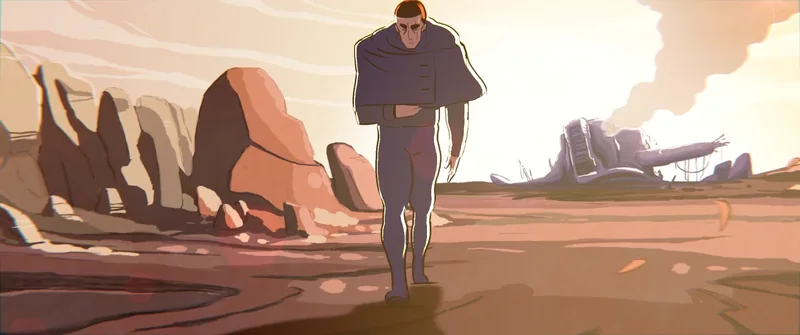
Perspective and contact. A character must appear to occupy the intended place in the scene. Check feet, hands, props and foreground overlaps. A small contact error can undermine a polished image because the viewer reads it as the character sliding or floating.
Timing and camera motion. Holding a drawing for two frames is a creative choice, not simply exporting a film at a lower frame rate. Camera movement and other layers may need their own treatment. Review the relationship between them; a moving camera can expose a mismatch that is invisible in a still frame.
Lines, shading and texture. Decide whether an outline should respond to light, stay a fixed screen width or vary with distance. Highly detailed surface texture can fight a simplified character design. Test the final-size image rather than judging every asset in isolation at maximum resolution.
Expression and silhouette. Graphic treatments should make the performance clearer, not conceal it. Readable poses and facial choices still matter beneath the visual finish. Our shape-language guide explains how to test recognizable forms without treating simple shapes as fixed personality rules.
When is hybrid animation worth the extra coordination?
Consider it when the brief needs both dimensional staging and a distinctive illustrated identity. A music video may use drawn effects to support performance beats. A commercial may need a graphic mascot within a carefully controlled product environment. A short film may use contrasting treatments to distinguish reality from imagination.
Choose a simpler approach when it already achieves the goal. Combining techniques adds decisions about staffing, asset handoffs, revisions and finishing. Hybrid animation is not automatically cheaper than either 2D or 3D. Reusable geometry may save effort in one area while hand-drawn finishing adds effort elsewhere.
Budget depends on the actual shots: character count, camera freedom, drawing complexity, effect density and required versions. Ask for an estimate based on the storyboard or animatic, with the test shot and review stages identified. Read our animation cost guide for the factors behind an estimate rather than treating runtime as a complete pricing formula.
For a useful studio conversation, bring the audience, purpose, runtime, references, delivery date and intended platforms. Explain which qualities you like in each reference and supply assets you have permission to use. A concise animation production brief helps separate essential creative goals from optional treatments.
Frequently asked questions
What is 2D/3D hybrid animation?
It combines two-dimensional artwork or animation with three-dimensional assets or workflows. Examples include drawn effects over 3D characters, illustrated characters in dimensional sets, and drawings arranged within a 3D scene. The exact combination varies by production.
Is hybrid animation the same as 2.5D?
Not always. The term 2.5D often describes flat elements arranged with depth or a limited-dimensional appearance. Hybrid animation is broader and describes combining techniques. Define the assets, camera behavior and intended look instead of relying on either label alone.
Does cel shading make a 3D animation hybrid?
Not by itself. Cel shading can give a fully 3D scene simplified lighting and an illustrated appearance. To describe the workflow accurately, establish whether drawn animation or other production techniques are actually combined with the 3D work.
Can Blender combine 2D and 3D animation?
Yes. Grease Pencil supports drawing and animation in a three-dimensional environment. Artists can combine strokes with scene elements and cameras. The result still requires deliberate staging, timing and finishing; the tool does not automatically make every element fit together.
Is hybrid animation cheaper than 3D animation?
There is no universal cost advantage. The answer depends on which assets can be reused, how much drawing is required, camera complexity and revision needs. A representative test shot and an agreed shot list provide a better basis for an estimate.
Is hybrid animation the same as AI animation?
No. Combining 2D and 3D does not require generative AI. AI-assisted production is a separate question about tools used in the process. A project can use a hybrid visual workflow with or without AI assistance.
Can hybrid characters be used in games?
Some designs can be adapted, but a finished film does not establish game readiness. Camera-dependent drawings, compositing effects and offline render treatments may need different implementations in an engine. Define gameplay views, performance limits and interaction requirements before building the character.
What should I send a studio for a hybrid animation brief?
Send the story or message, audience, runtime, reference images with specific notes, intended platforms and delivery date. Include any existing character assets and an animatic if available. Ask which parts will be 2D, which will be 3D and how the combination will be tested.
Conclusion: choose the combination that serves the story
Hybrid animation is most useful when each technique has a clear job. Dimensional scenes can support staging; drawn elements can shape expression; compositing can unify the image. Strong results depend on testing those relationships in motion and approving a practical workflow before committing to the full film.
Planning a character-led project? Explore Mimic Cartoon’s character animation services or send your brief to the studio. Share the visual qualities you want, the story you need to tell and where the finished animation will appear, so the production approach can be scoped around your project.
Image credits and licences
All six illustrations are from Hero (2018), directed by Daniel Martínez Lara, Blender Studio / Blender Foundation. Cover and first body image: official gallery. Remaining images: frames extracted from the licensed film. Used under Creative Commons Attribution 4.0; resized and converted to WebP. Images illustrate this guide and do not imply endorsement or a Mimic Cartoon production credit.