
DIRECT ANSWER
What is 2.5D animation?
2.5D animation commonly creates a sense of depth from flat artwork arranged or moved in layers. Foreground, character and background elements can move differently, or sit at different distances from a virtual camera. The result feels dimensional without every element being a complete 3D model. The term has several uses, so a useful brief specifies the artwork, movement and camera rather than relying on the label alone.
Imagine a small courier waiting beside a mountain lake. The reeds slide past quickly, the courier shifts more gently and the distant peaks barely move. You feel the space between them, even though the artwork can be made from flat pieces. That relationship is the starting point for this guide.
We will use an original illustrated scene to separate the visual result from the mechanism behind it. It is an explanatory example, not a client production or a demonstration of a full character rig. If you are choosing a general production approach, start with our 2D versus 3D animation comparison.
How layers and parallax create depth
Parallax is the change in the apparent position of objects at different distances as the viewpoint moves. During a sideways camera move, nearby objects generally travel farther across the image than distant ones. Animators can suggest this by moving flat layers at different speeds, or obtain it from a camera moving past planes placed in a three-dimensional scene.
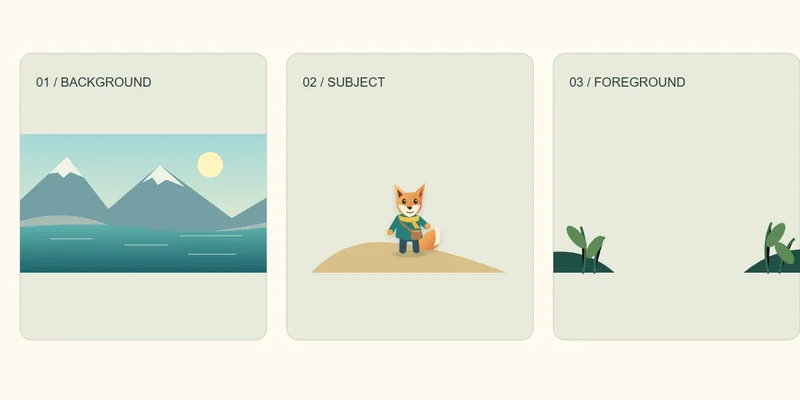
In the scene above, the mountains establish the distance, the courier gives us a subject to follow and the plants frame the foreground. Separating these elements lets the movement reveal their relationship. Sliding the entire finished picture sideways would simply pan the picture; it would not produce the same relative movement between its parts.



Near plants shift more than the courier; the distant landscape shifts least. This simplified demonstration uses horizontal layer offsets, not a full perspective camera.
Overlap also matters. A foreground plant passing in front of the courier helps establish which element is closer. Scale, perspective and colour can reinforce the impression. These cues need to agree: a tiny foreground object moving dramatically can make the scene feel like a miniature rather than a large landscape.
Adobe documents that a flat layer enabled for 3D retains its flat surface while gaining depth-position and rotation controls. Placing an illustration in space therefore does not automatically give it a sculpted back, rounded sides or a new drawing for every viewpoint.
2.5D, hybrid animation and stylized 3D
These labels overlap in conversation, but they answer different questions. Layered 2.5D describes the depth treatment explored here. Hybrid animation describes a combination of methods, such as drawn effects over a rendered character. Stylized 3D can use complete models with materials and lighting that produce a graphic or painted appearance.
A flat-looking film is not necessarily layered 2.5D. An illustration moving in a 3D application is not necessarily a full 3D character. Some people also use “2.5D” for limited-view character rigs or games with constrained movement. Ask what the term means in the particular proposal.
Our hybrid-animation guide covers mixed production methods. Here, the practical question is narrower: how much movement and depth can you obtain from the artwork you have?
A practical workflow for a layered scene
1. Plan the shot before separating the artwork
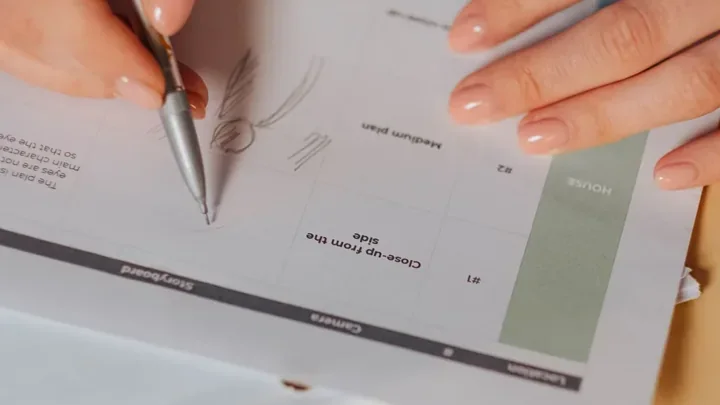
Decide what changes during the shot. Is the camera drifting sideways, pushing toward a face or following a character? Specify the start and end framing. A modest sideways drift needs different artwork from an orbit around the subject. A storyboard and timed animatic help establish that movement before detailed finishing.
2. Separate elements by depth and action
Make useful layers for the foreground, subject, middle distance and background. Separate a character’s arm only if it needs independent movement; splitting every small detail creates unnecessary management. Keep transparent edges clean and retain enough resolution for the closest view.
3. Complete the areas the camera will reveal
Moving a subject away from its original position can expose an empty patch behind it. Reconstruct the background before animation. Similarly, a foreground layer should extend beyond the visible frame if it will slide across the shot. The required margin follows the planned movement, not a universal percentage.
4. Arrange the depth and approve a rough movement
Place the layers at suitable distances or establish their relative screen motion. Check the composition through the final camera. Moving a plane farther away changes its apparent size in a perspective setup, so spacing and scale need to be considered together. Test the start, middle and end of the shot before polishing any one frame.
5. Add the performance the scene needs
A camera move is not a substitute for acting. A glance, a breathing rhythm or a hand gesture can provide the emotional beat, but each requires suitable artwork or controls. If the character turns, decide whether the shot needs replacement drawings, deformation, a limited-view rig or a modeled asset.
6. Review and deliver in context
Watch the shot at its intended speed and display size. Check edges, overlaps, feet on the ground and background coverage. Confirm the aspect ratio, frame rate, resolution and sound requirements. A wide illustration may need a separate composition for a vertical version, rather than a crop through the character’s face.
Where the illusion breaks
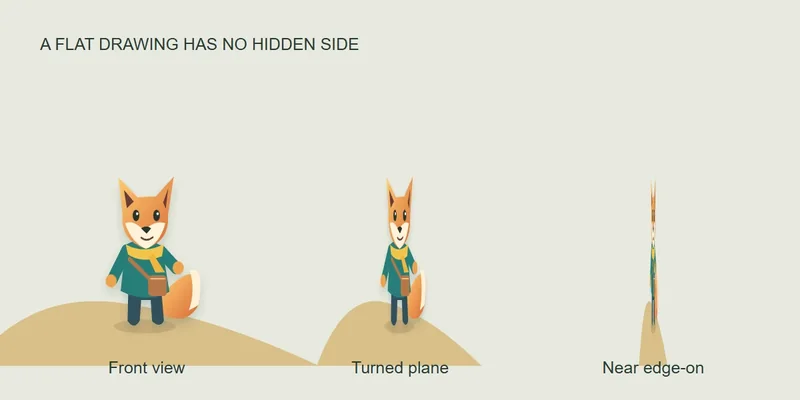
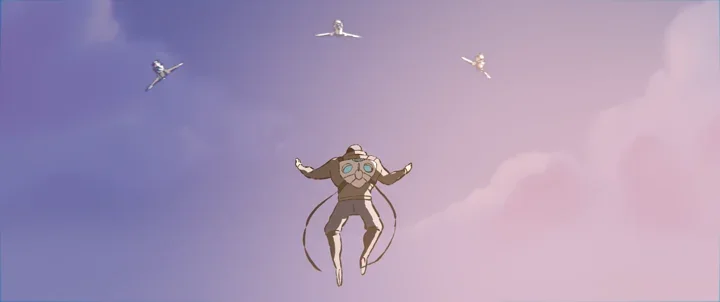
Too much rotation. A flat plane becomes narrow when viewed from the side. It cannot reveal a believable cheek, ear or shoulder that was never drawn. A new viewpoint may need another drawing or a volumetric asset. Approve camera freedom early rather than discovering the limit after animation.
Exposed gaps. Layer edges, unpainted backgrounds and incomplete cutouts become visible as elements separate. Check the most extreme movement, not just the attractive centre frame.
Sliding contact. A character can appear to float if its feet move independently of the ground it supposedly stands on. Treat the subject and its supporting surface as a relationship, not unrelated decorative layers.
Unmotivated motion. Moving every layer constantly can distract from the story. A restrained background with one clear gesture may communicate more than a large camera move. Start with what the audience should notice.
When to use 2.5D animation
Layered depth is worth exploring when preserving an illustrated identity matters and the camera can stay within controlled limits. It can suit a storybook scene, a title sequence, a music-video passage or a brand illustration with a short, deliberate movement. These are possible applications, not claims that every project in those categories should use this method.
- Consider layered artwork when a finished illustration is central to the look, the movement is limited and the scene does not need to reveal every side of the character.
- Consider additional drawings or a 2D rig when changing poses and expressions matter more than moving through a deep environment.
- Consider full 3D assets when the brief requires substantial camera rotation, repeated views of a product or character, or interactions that benefit from modeled volume.
Cost depends on the work behind the shot. Separating a complex painting, reconstructing hidden areas and rebuilding several views can outweigh the apparent simplicity of “just moving an image.” Conversely, a carefully designed layered shot may avoid unnecessary modeling. Compare the same runtime, camera moves, revisions and deliveries before making a budget judgment.
For a character-led sequence, explain which movements are essential when discussing character animation. For a campaign, include the required edits and formats in the animated-commercial brief. A reference becomes useful when you explain what you like about its movement, rather than only naming its style.
Tools and a better starting brief
A compositing application with layers and cameras can support a layered-depth workflow. After Effects is one example. Blender offers a different route: its Grease Pencil documentation describes drawing strokes in 3D space. That capability is useful context, but using either application does not by itself define the finished work as 2.5D.
Before commissioning a test, gather the original layered artwork if available, permission to adapt it, the intended duration, a movement reference and the delivery formats. Identify any moment when the camera must see behind a subject. If you only have a flattened image, ask whether separating it and rebuilding hidden areas is included.
Our animation brief guide provides a wider checklist. Keep the first test representative: one shot that includes the most important camera move and character action is more useful than several unrelated style frames.
Compare a camera move before choosing 2.5D
Use the landscape demonstration above as a planning test. A gentle sideways move can reveal depth between reeds, the courier and distant mountains. A move around the courier asks a different question: does the artwork include the side and back that the camera would reveal? These are hypothetical shot choices, not client results.
Option 1: a restrained layered move
Separate foreground, subject and background; paint the areas hidden behind overlapping objects; and extend artwork beyond the initial crop. Test the maximum approved camera movement before polishing the scene. Check that the courier’s feet stay grounded and that layer edges never enter the frame.
Option 2: an orbit or a changing character view
A flat character layer does not acquire hidden geometry when the camera moves around it. You may need replacement drawings, deformation, projected artwork on geometry or a modeled character. If the action repeatedly exposes new views, compare a 3D or hybrid workflow rather than stretching the original illustration beyond its intended camera.
Option 3: a 3D character with a graphic surface
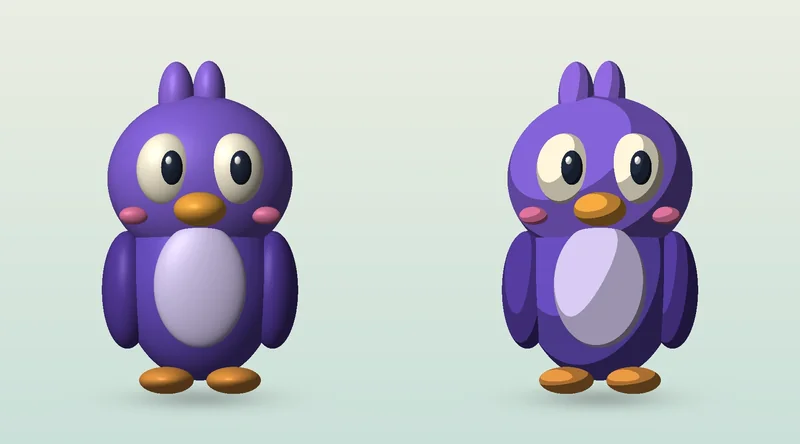
If you need a dimensional performer but want flat colour and controlled shadow bands, investigate cel shading. That is a rendering choice, not another name for layered parallax. A project can combine both, but the character and environment still need a coordinated look.
Approval checklist: test the first and last camera positions, the widest crop, the fastest move and the final output size. A desktop preview can hide a missing edge or an unreadable subject in a vertical version. Agree the supported camera range as part of the shot, rather than treating every later reframing request as free reuse.
What to supply for a layered-artwork brief
- Layered source artwork with clear names, usable transparency and sufficient resolution for the planned crop.
- Painted backgrounds beneath objects that move, plus permission to adapt the artwork.
- A reference for the camera path, timing and amount of depth—not only a still image.
- Required character actions, aspect ratios and delivery formats.
For a brand film, discuss the full output through animated commercial production. If a new dimensional character is required, start with character design and modeling. These links identify the production need; they do not imply that every brief should use 3D.
Share your artwork and intended camera move with the runtime, formats, launch date and budget range. The useful first decision is whether the available art supports the shot, or whether new views and assets are needed.
Frequently asked questions
Is 2.5D animation the same as 3D animation?
No. In a layered 2.5D setup, artwork can remain flat even when arranged in a 3D scene. A full 3D model has volume that can be viewed from different angles. The term 2.5D has other uses, so confirm the intended setup.
Can one photograph or illustration become 2.5D animation?
Yes, if it can be separated into useful elements and the areas revealed by movement can be reconstructed. The available detail, permissions and planned camera movement determine what is practical.
Does parallax animate the character itself?
No. Parallax changes the apparent relationship between elements at different depths. Character acting needs its own drawings, deformation, rig or other animation controls.
Is 2.5D always cheaper than 3D?
No. Simple layered shots can be economical, but complex separation, background reconstruction, new viewpoints and revisions add work. Compare the same shot requirements rather than assuming one label determines the price.
Can the camera rotate around a flat character?
Only within the limits of the artwork and setup. A flat plane viewed from the side reveals its lack of volume. A larger rotation may require replacement drawings, additional geometry or a full 3D character.
Conclusion: design the depth around the shot
2.5D animation works best when the artwork, camera and performance are planned together. Separate layers create opportunities for depth, but the strongest result still depends on readable staging, convincing contact and a clear reason for the movement.
Choose a representative shot, define what the camera must reveal and test it before expanding the sequence. Explore the animation styles library for related approaches, or share your artwork and animation brief with Mimic Cartoon to discuss the production options.
Illustrations and interactive example created for this guide. They demonstrate layered artwork and are not client-project images.